From Idea to Working Prototype: How Adults Can Learn to Build an AI App Without Coding
Why building an AI app is more accessible than you think
Generative AI has moved from research labs into everyday tools. Chatbots, content generators, image creators, and data assistants are now common. Yet many professionals assume that creating such an application requires years of programming experience. That assumption is no longer accurate. A growing number of no-code platforms let anyone design, test, and launch a functional AI application in a matter of days. For working adults in Singapore, this shift opens new possibilities in workforce learning and career development.
The key is understanding what an AI app actually needs. Behind every chatbot or recommendation engine lies a data pipeline. That pipeline feeds information into a model, which processes it and returns a result. The model itself is often a large language model or a generative AI system trained on vast amounts of text or images. The hard part used to be building and training that model from scratch. Today, many pre-trained models are available through APIs. The real work now lies in selecting the right model, crafting good prompts, and connecting the pieces into a useful interface.
What you actually need to know
To build an AI app, you do not need to master Python or TensorFlow. You do need a clear idea of the problem you want to solve. A customer support assistant, for instance, needs a different design than a document summariser. Once you define the task, you can choose a model that fits. Many no-code platforms offer drag-and-drop interfaces for connecting a model to a front-end chat window or form. Prompt engineering then becomes the main skill. You learn how to phrase instructions so the model returns accurate, relevant answers. Testing and iteration follow. You try different prompts, adjust parameters, and see what works.
This approach suits professionals who want to prototype quickly. A marketing manager might build a tool that generates product descriptions from bullet points. A human resources officer could create a simple FAQ bot for common staff queries. The goal is not to replace software engineers but to give non-technical team members a way to explore what AI can do for their daily work. The ability to build an AI app in a short time frame also helps organisations test ideas before committing to full-scale development.
The role of workforce learning in Singapore
Singapore has invested heavily in adult education and skills upgrading. Workforce learning programmes now cover topics like data analytics, digital marketing, and increasingly, generative AI. These courses are designed for people who have busy schedules and need practical, hands-on training. A two-day workshop, for example, can take a participant from understanding basic AI concepts to launching a simple app. The pace is intense but structured. Each session builds on the last: planning, building, testing, and finally deploying the application.
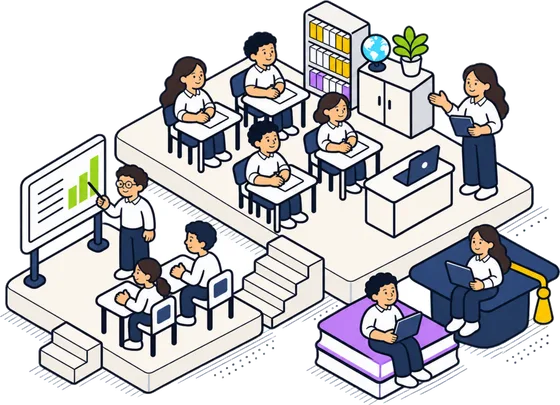
Participants learn about data pipelines, model testing, and app launch procedures. They also practise prompt engineering, which is the art of writing inputs that produce desired outputs from a language model. By the end of the course, each person has a working prototype they can show to colleagues or managers. This outcome is far more valuable than a theoretical certificate. It demonstrates real capability and often sparks further interest in AI development.
No-code platforms: the practical toolkit
Several no-code platforms support generative AI app development. Some are visual builders where you drag components onto a canvas. Others use simple configuration files or spreadsheet-like inputs. Common features include model selection, prompt templates, conversation history, and deployment options. When you build an AI app on these platforms, you typically start by choosing a model provider, such as OpenAI, Anthropic, or Cohere. Then you define the system prompt, which sets the assistant's behaviour. Next you add user input fields and decide how the app should handle errors or unclear queries.
Testing is a critical step. You should try edge cases: what happens if the user types nonsense? What if the model returns a harmful response? Many platforms include moderation filters or allow you to set boundaries. Model testing also involves checking for consistency. Does the app give the same answer to the same question every time? If not, you might need to adjust the prompt or limit the model's creativity. Finally, the app launch stage involves sharing a link or embedding the tool on a website. Some platforms offer usage analytics so you can see how people interact with your creation.
Common pitfalls and how to avoid them
One frequent mistake is overcomplicating the first version. A simple app that does one thing well is better than a complex app that fails often. Start with a narrow use case. For example, instead of building a general assistant for your entire company, build one that only answers questions about your department's policies. Another pitfall is ignoring data privacy. If your app uses sensitive information, check that the platform encrypts data and does not share it with third parties. Always review the terms of service for the model provider.
Prompt engineering also requires patience. A small change in wording can produce dramatically different outputs. Keep a log of prompts and their results. This practice helps you refine the prompt methodically rather than guessing. Also, remember that generative AI models are probabilistic. They can produce plausible-sounding but incorrect answers. Include a disclaimer in your app that tells users to verify critical information. This is not a flaw in your app; it is a characteristic of the technology.
Moving from prototype to production
Once your prototype works, you may want to share it more widely. This step involves thinking about scalability, user authentication, and maintenance. Some no-code platforms handle scaling automatically. Others require you to upgrade to a paid plan for higher usage limits. User authentication can be as simple as a password or as robust as single sign-on. Decide based on who will use the app and how sensitive the data is.
Maintenance is often overlooked. Models get updated, APIs change, and user needs evolve. Set aside time every few months to test your app and update prompts or model versions. This ensures the app continues to perform well. Workforce learning programmes that teach these skills often include guidance on long-term app management, which is valuable for anyone who wants to keep their creation running smoothly.
Deciding if this path is right for you
If you are curious about generative AI but have no coding background, a structured course can give you a fast start. You will learn by doing, which is far more effective than reading theory alone. The skills you gain, prompt engineering, model testing, data pipeline basics, are directly applicable to many roles. You do not need to become an AI expert. You just need to understand enough to build a tool that solves a real problem.
For Singaporean professionals looking to stay relevant in a changing economy, this type of workforce learning offers a practical route. It does not require a long time commitment. It does not demand technical prerequisites. It provides a tangible outcome that you can use immediately. Whether you work in logistics, finance, education, or healthcare, a simple generative AI app can automate a repetitive task or provide quick information to your team. The barriers are lower than ever, and the potential benefits are substantial.
If you are ready to explore, look for a course that emphasises hands-on work, provides access to no-code tools, and covers the full cycle from planning to launch. That combination will give you the confidence to build an AI app that works for your specific context. The technology is here. The question is whether you will take the step to learn how to use it.